
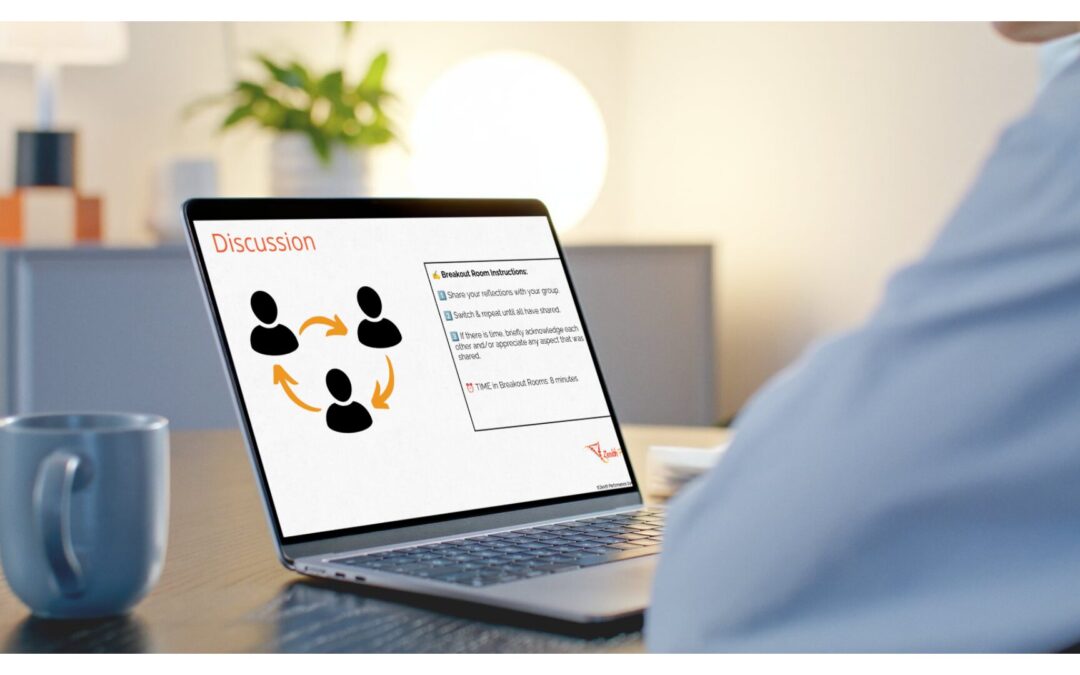
A slide that looks good on a webcam isn’t the same as a slide that does its job.
Recently, I traveled to Spokane to observe and support a dry run. The facilitators were two SMEs who know nursing inside and out. They aren’t seasoned facilitators yet, and that’s exactly what a dry run is for.
Sitting in the back of that room, I was quickly reminded of something I’ve known for years and still needed to see again. What makes training soar, in person or virtual, isn’t the content. Those two had the content. It’s two things that are much easier to overlook: clear, direct instructions, and a stellar debrief that surrounds every pair share, small group activity, and large group practice scenario.
Instructions must show up more than once. On the slide. Out loud. And if you’re virtual, pasted in the chat. Then, when the activity ends, the debrief is where people make sense of what they just did. That’s where the magic happens.
Online, the cost of missing instructions gets even higher.
You open the breakout rooms. Thirty seconds later, someone unmutes in the main room. “Sorry, what are we supposed to be doing?”
The instructions were on the slide. The slide before the breakout. Which nobody can see anymore, because they’re sitting in a room with three semi-strangers and no screen.
If you’ve facilitated virtually, you’ve lived this. It’s both a facilitation faux pas and a slide problem.
Presentation Slides on a Webcam
Most vILT decks are presentation slides moved online. In a classroom, that mostly works, because you can point, repeat yourself, and walk over to the table that looks lost.
Virtually, the slide is the only thing everyone sees at the same time. So, it has to carry more of the load: what to do, where to do it (chat, whiteboard, breakout room), and how long they have. If participants have to ask what to do, the slide didn’t do its job.
Session slides keep the instructions on screen while the activity runs. They show the time. They tell people where to go next. They make the facilitator’s job lighter instead of decorating it.
Say It, Show It, Paste It
Here’s the simple rule I came home from Spokane with:
- Show it: the instructions live on the slide for the whole activity.
- Say it: the facilitator gives the same instructions out loud, in plain words.
- Paste it: in a virtual session, the instructions go in the chat right before the breakout opens, so people can scroll back to them from inside the room.
It feels repetitive when you’re the one facilitating. It never feels repetitive to the person who was answering an email when you explained the activity.
How I Build Them Now
Here’s my actual workflow.
I give Claude the content and outline, along with one of my PowerPoint templates. For client work, I upload their design template instead. Claude drafts the slides and puts the facilitator notes right in the notes section, so whoever runs the session, me, a co-facilitator, or a producer, has the script where they need it.
One tip: when AI drafts your facilitator notes, ask it to write each activity’s instructions twice, once to say out loud and once as a short message to paste in the chat. For a newer facilitator, that one change takes a lot of the guesswork out of running the room.
Then I bring the PowerPoint into Canva to finish it. (Side note: I’ve tried generating slides in Canva directly, and I’ve found the design stays much closer to my brand when I start in PowerPoint and import it).
One honest note: client templates and content belong to the client. Use the AI tool your organization or your client approves, and check before you upload their files anywhere.
The Part I Don’t Hand Off
Interactivity. I add it myself, every time.
I keep a set of plug-and-play activities I reuse across sessions: chat waterfalls, annotation on a shared slide, quick polls, a whiteboard sort. AI can suggest an activity, but it doesn’t know the room. It doesn’t know this group goes quiet after lunch, or that this audience needs a low-risk warm-up before anyone will unmute.
AI drafts the deck. I design the experience. That’s where years of facilitating actually show up, and it’s the part learners remember.
Then Comes the Debrief
Here’s the thing nobody talks about. The activity isn’t where the learning happens. The debrief is.
An activity without a debrief is just a break with extra steps. When the breakout rooms close, people need a few minutes to say what they noticed, what it means for their work, and what they’ll do differently. That’s when a scenario turns into a decision they’ll make on the job.
So, the debrief gets its own slide, with the questions on screen. It gets real time on the agenda, not whatever is left before the break. And if the session is running long, I’ll cut part of the activity before I cut the debrief.
Reuse the Slides That Never Change
Some slides show up in every session: the agenda, the poll, the breakout instructions, the stretch break, and the close. Those shouldn’t be rebuilt, and they shouldn’t be redesigned by AI every time either.
That’s why I built my virtual training slide deck. It’s the set of vILT slides I kept rebuilding, designed once to run the session, with instructions and timing built in. Drop in your content, add your own interactivity, and the next session takes an afternoon to prep instead of a weekend. It’s $19.
Your learners can’t see you walk across the room. Let the slides do some of the walking, and save your energy for the debrief.
Pick Your Spark
Here’s my challenge for you this week. Pick at least ONE that feels right, but still a little out of your comfort zone. The kind that makes you a little squeamish, but not the kind that makes you want to hide under your desk.
- Quiet: Open your last vILT deck and find one activity slide that doesn’t say how long participants have to complete the activity.
- Brave: For your next activity, give the instructions three ways: on the slide, out loud, and in the chat.
- Bold: Write your debrief questions before you design the activity and give the debrief at least as much time as the activity itself.
Grab the vILT deck.
About Dani Watkins
Dani is the founder of #IgniteLearning and the owner of Zenith Performance Solutions. She’s an instructional designer, trainer, and eLearning developer who creates practical resources for in-house L&D professionals, and she presents regularly for Training Magazine.
Portions of this article were drafted, outlined, or edited with the assistance of artificial intelligence tools. The final content has been thoroughly reviewed, verified, and approved by human editors, who assume full editorial responsibility for its publication.