
Let me guess how Canva shows up in your work right now.
You open it when you need a quick title slide that doesn’t embarrass you. Maybe a job aid that your SME won’t tear apart from being too plain. Sometimes an infographic, if you have the bandwidth. And then you close it and go back to your real tools like Storyline, Rise, PowerPoint, the ones that do the serious work.
I used to think about it the same way. Canva was the tool I reached for when I needed something to look good fast. It wasn’t where I did my actual instructional design work.
That changed when I started paying attention to what the most resourceful L&D professionals I know were doing. Not what they were presenting at conferences or posting on LinkedIn, what their real, messy, deadline-driven workflows actually looked like.
Canva kept showing up. Not just in the design lane. In the planning lane. The stakeholder communication lane. The ‘I have 48 hours to turn this around and I cannot afford to switch between four different tools’ lane.
This is the shift I want to talk about because I think a lot of us are leaving significant time and quality on the table by treating Canva as a finishing tool instead of a workflow tool.
Canva isn’t a shortcut. For practitioners who know what good design looks like, it’s a bridge between what you want to create and what you can realistically deliver.
The Story We Told Ourselves About Canva
There’s a narrative that circulated in L&D for a while: Canva is for people who can’t use real design tools. It’s for teachers making classroom posters and marketers building social content. If you’re a serious eLearning developer, you use Articulate. You use PowerPoint like a professional. You don’t need a simplified version.
I understand where that came from. Canva’s early marketing leaned heavily into ‘anyone can design,’ which, if you’ve spent years building actual visual design skills, feels a little like being told a calculator replaces knowing math.
But that framing had two problems. First, it was always more about marketing than tools. Second, and this is the part we don’t say enough, the judgment wasn’t really
about Canva at all. It was about how people with no design background were using it. A tool isn’t its lowest-common-denominator use case.
The L&D professionals I respect most aren’t using Canva because they can’t use anything else. They’re using it because it solves specific, real problems in their workflow faster and better than the alternatives.
What Changes When You Use It Differently
When Canva becomes part of your actual development process, it is not just a last step for making things look polished, a few things start to shift.
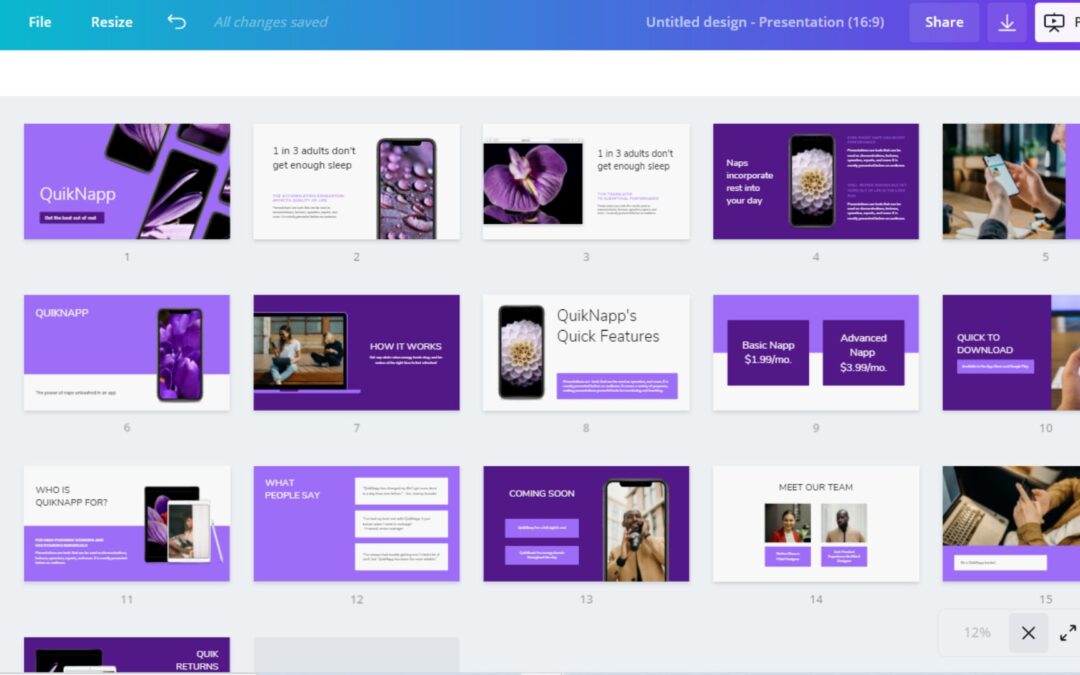
Your storyboards become shareable without explanation. A visual storyboard built in Canva, the kind where your SME can see what the module is going to look like before you build it, changes the feedback conversation entirely. Instead of approving a table of text they couldn’t picture, they’re reacting to something real. You get fewer ‘this isn’t what I imagined’ revisions. You get more ‘can we move this section earlier?’ conversations. Those are the conversations that save you hours.
Stakeholder communication stops being a translation exercise. A clean project overview, a visual representation of your training plan, a one-page scope summary that doesn’t require your stakeholder to read between the lines, these aren’t just prettier emails. They’re tools that make your expertise visible to people who don’t have a framework for understanding what you do. And that visibility matters when you’re trying to be seen as a strategic partner instead of a production resource.
Your training materials stop depending on resources you don’t have. If you’re a team of one, you know the tax of waiting for design support. When you can produce on-brand, professional-quality visuals yourself, quickly, without sacrificing quality, that’s not a small efficiency gain. It’s hours you get back every week to put toward the work that actually requires your expertise.
Iteration gets faster in ways that matter. A Canva file with sharing enabled means your stakeholder can leave a comment directly on the frame they’re responding to. Not an email with no reference point. Not a markup on a PDF you have to decipher. A comment on the exact visual they’re reacting to. In a world where your timelines are already compressed, faster, more specific feedback rounds are genuinely significant.
The Reason This Matters More for In-House L&D
Here’s what I keep coming back to when I talk about tools with in-house L&D professionals specifically: we are almost always operating without the resources that would let us do things the right way.
We don’t have a dedicated graphic designer. We don’t always have budget for premium software licenses. We don’t have uninterrupted days to learn a new platform when there are three projects due. We have real timelines, real stakeholders, and a real gap between the work we know how to do and the conditions we’re given to do it in.
That gap is where tool choices matter. Not in the ideal scenario where you have six weeks and a full design team. In the real scenario where you have Tuesday and a stakeholder who keeps adding scope.
Canva fits into that reality in a way a lot of tools don’t. It’s not about lowering your standards. It’s about being strategic enough with your tools that you can protect the time and energy you need for the decisions that can’t be templated — the learning design thinking, the performance analysis, the stakeholder navigation that requires actual expertise.
Every hour you save rebuilding assets from scratch is an hour you can spend on the work that only you can do.
What This Actually Looks Like in Practice
I’m going deep on this in May, specifically, how to use Canva as a legitimate development tool for the kind of work we do in-house. On May 7, I’m facilitating the Canva Create 2026 updates for Training Magazine are actually relevant to L&D professionals, not a feature tour, but a practical look at what’s changed and what’s worth your attention. That session is free for everyone through Training Magazine.
On May 28, I’m walking through my full workflow: from visual storyboard to finished video, using Canva and ScreenPal together. That session is also free, and it’s the kind of practical, here’s-exactly-what-I-do walkthrough that I wish I’d had access to earlier in my career. And inside #IgniteLearning this month, I’m releasing a Canva Storyboard Template built specifically for the in-house ID workflow, not adapted from a freelancer or marketer template, but designed around how our projects actually move through planning, SME review, and build.
#IgniteLearning Plus members get the fully editable Canva file.
If you’ve been using Canva at the edges of your work and wondering whether it could carry more weight — May is a good month to find out.
Ready to see Canva in action as a real L&D development tool?
Join #IgniteLearning — free 7-day trial for VIP members. https://zps.circle.so/checkout/ignite-learning
About Dani Watkins
Dani is the founder of #IgniteLearning and the owner of Zenith Performance Solutions. She’s an instructional designer, trainer, and eLearning developer who creates practical resources for in-house L&D professionals. She presents regularly for Training Magazine and believes deeply that good learning design changes outcomes, and that the right tools make that possible inside real organizational constraints.